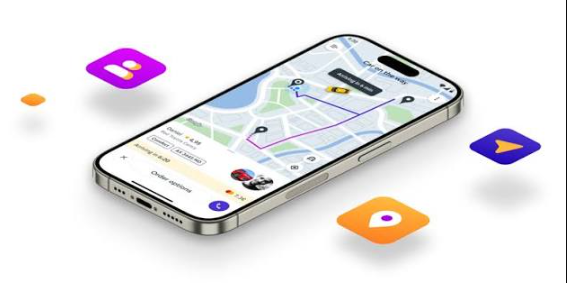
As the Product Engineering Lead at Acquaint Softtech, a Mobile App Development partner, the point most founders get wrong first is this: riders do not judge your app by the map, they judge it by how few taps it takes to get a ride.
A rider app is the front door to your marketplace. It has to book a ride in seconds, let people schedule ahead, show the car moving in real time, and split a fare without a fight. This guide covers how to build each of those, plus the stack and cost behind them.
A rider app that stalls at booking or hides the driver location loses the trip, and often the customer. The approach here draws on real booking and payment products Acquaint Softtech has delivered as an Official Laravel Partner, with 1,300+ projects, 70+ in-house engineers, and clients across the USA, UK, Europe, and Australia who get a dedicated team within 48 hours of a brief.
What a rider app is
A rider app is the consumer mobile app people use to request, schedule, track, and pay for a ride. It hides a lot of moving parts, matching, mapping, and payments, behind a screen that should feel like two taps and a short wait.
The four things riders expect
Riders expect four things: a fast booking flow, the option to schedule ahead, a live view of the car, and a fair, simple way to pay or split. Miss any one and they keep a competitor installed as backup. Acquaint Softtech builds these as the spine of the app, then adds extras like saved places and ride history.
Booking: from tap to confirmed ride
Booking is the core loop: set pickup and drop-off, see the price and ETA, and confirm. The best apps make the common case, a ride from where you are standing to a saved place, almost instant.
Cut taps, not clarity
1. Detect the pickup from GPS, with an easy manual override.
2. Offer saved and recent places for the drop-off.
3. Show the fare estimate and ETA before booking.
4. Confirm, then hand off to matching and live tracking.
Every extra field on this screen costs conversions, so default aggressively and let riders correct.
Scheduling rides in advance
Scheduling lets a rider book a ride for later, an airport run at 5am or a recurring commute, and trust it will show. The app stores the request and hands it to the matching engine at the right lead time, not the moment it is created.
Reliability is the feature
A scheduled ride is a promise, so the engine must reserve supply early enough to keep it. Send reminders, confirm a driver ahead of the window, and give the rider a clear fallback if no car is available, because a missed scheduled ride breaks trust faster than a surge price.
See also: Artificial Intelligence Regulations Around the World
Live tracking riders can trust
Live tracking shows the assigned car moving toward pickup on a map, with an ETA that updates as it drives. It is the feature that turns anxious waiting into a calm glance at the screen.
Smooth dots, fresh data
Two things make tracking feel trustworthy: fresh location updates and smooth animation between them. Solid Backend Development streams driver positions over a real-time channel, while the app interpolates between updates so the car glides instead of jumping. Share that same live link with a friend and you have built-in safety.
Fare splitting without the awkwardness
Fare splitting lets riders divide a trip cost across several people, evenly or by share, and charge each card automatically. It removes the after-ride math and the one person who always forgets to pay back.
Split at booking, settle on completion
Set up the split when the ride is booked: invite riders, agree the shares, and authorize each payment method. On completion, the engine charges each person their portion and shows everyone the same receipt. Clear consent up front is what keeps splitting from feeling like a surprise charge.
The tech stack behind a rider app
A rider app is cross-platform, real-time, and payment-connected. Cross-platform React Native App Development ships the rider app to Android and iPhone from one team, which keeps release cycles short as you iterate on the booking flow.
What the pieces do
| Layer | Common choice | Job |
| App framework | React Native or Flutter | One codebase for Android and iPhone |
| Live channel | WebSocket or push | Stream the car location and status |
| Maps | Google or Mapbox SDK | Pickup, route, and live tracking |
| Payments | Stripe or a local gateway | Charge fares and handle splits |
What it costs to build
The cost of a rider app depends on how much of booking, scheduling, tracking, and splitting you ship, and how polished the map experience is.
| Scope | What you get | Typical range (USD) |
| MVP rider app | Booking, live tracking, single-card payment | $12,000 to $30,000 |
| Full rider app | Scheduling, fare splitting, saved places, ride history | $30,000 to $70,000 |
Where the savings are
Ship instant booking and live tracking first, the two features every rider uses, then add scheduling and fare splitting once the core loop is smooth. Acquaint Softtech staggers the build this way, running at up to forty percent cost savings versus Western agencies, with blended rates of roughly twenty-five to forty-nine US dollars per hour.
Proof: a booking platform we shipped
The booking-and-pay core of a rider app shows up in any reservation product. For Hiran Holidays, a travel and homestay booking business, Acquaint Softtech built the booking platform end to end, from reservations to payment. The account below is drawn from the client’s verified Clutch review.
| Challenge | Solution | Result |
| Bookings and availability were hard to manage | Online booking system with a central reservation engine | Reservations and rates handled in one place |
| Taking payment online was a gap | Payment integrated directly into the booking flow | Customers could book and pay in one step |
| The site launched with limited traffic | Booking platform plus SEO and review management | Site traffic grew 40 to 50 percent |
The build is the booking-and-pay core a rider app depends on: choose a slot, reserve it, and pay in one flow. Owner Savdasbhai Lakhnotra said the team kept them “pretty happy with their services”, resolving reported issues by the next day. Whether the booking is a room or a ride, Acquaint Softtech builds the reservation and payment path first, because that is where trust is won or lost.
FAQs
What is a rider app?
A rider app is the consumer mobile app people use to request, schedule, track, and pay for a ride. It is the customer-facing half of a ride-hailing platform, sitting on top of the matching engine and the driver app.
How does ride booking work?
The app detects the pickup from GPS, takes a drop-off, shows a fare estimate and ETA, and confirms. On confirmation it hands the request to the matching engine, which assigns a driver and starts live tracking for the rider.
Can riders schedule rides in advance?
Yes. A rider sets a future time, and the app stores the request and releases it to the matching engine at the right lead time. Reminders and an early driver confirmation keep a scheduled ride reliable rather than a hopeful booking.
How does live tracking work in a rider app?
The driver app streams its location over a real-time channel to the backend, which pushes updates to the rider app. The app smooths the movement between updates so the car glides on the map, and the ETA refreshes as it drives.
How does fare splitting work?
Riders set up a split when booking, agreeing even or custom shares and authorizing each payment method. When the ride ends, the system charges each person their portion automatically and shows everyone the same receipt, with no after-ride chasing.
How long does it take to build a rider app?
An MVP with booking, live tracking, and single-card payment usually takes a few months with a small team. Scheduling, fare splitting, and saved places add time, since each leans on a solid backend and payment integration underneath.